US Visa Photo Requirements in Toronto
If you’re applying for a US visa from Toronto, whether it’s a B1/B2 tourist visa, a student visa, a work visa, or an NIV renewal, one small detail trips up more applicants than you’d expect: the photo. The US Department of State has exact rules for visa photos, and getting even one detail wrong can mean your application gets bounced back or delayed while you’re waiting on a decision that already takes weeks.
Here’s a clear breakdown of what’s actually required, the mistakes people make most often, and where to get it done properly here in Toronto.
Why the Photo Matters More Than You Think
US visa applications go through the CEAC (Consular Electronic Application Center) system, and photos are checked against strict digital specifications before your application is even reviewed by a consular officer. If your photo doesn’t pass, you’ll be asked to re-upload — and if you’re applying close to a travel date, that delay can be stressful.
Unlike a Canadian passport photo, US visa photos have their own separate set of rules, so a photo that works for your Canadian passport won’t necessarily meet US visa standards. You can check the official specifications directly on the US Department of State’s travel website as well.
US Visa Photo Requirements at a Glance
Here’s what the US government actually requires:
- Size: 2 x 2 inches (51mm x 51mm), square format
- Background: Plain white or off-white, no shadows or texture
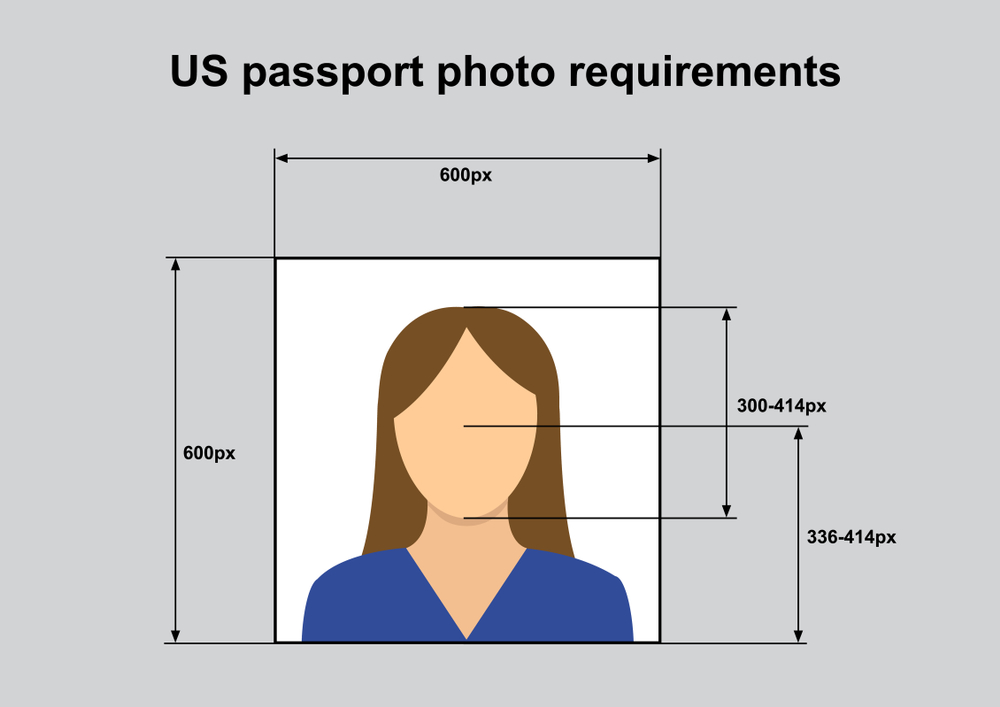
- Head size: Head must measure between 1 inch and 1 3/8 inches (25–35mm) from chin to top of head
- Eye height: Eyes should sit between 1 1/8 and 1 3/8 inches from the bottom of the photo
- Expression: Neutral expression or a natural smile, both eyes open
- Glasses: Not permitted in the photo as per current guidelines; glasses must be removed
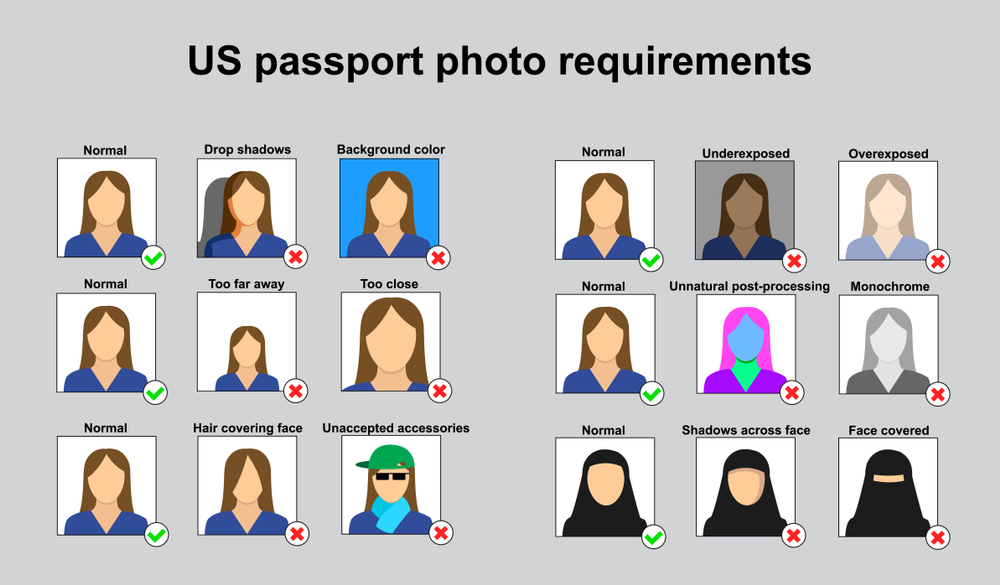
- Head coverings: Not allowed unless worn daily for religious reasons, and your full face must be visible
- Recency: Taken within the last 6 months, reflecting your current appearance
- File format: JPEG, under 240KB, with specific pixel dimensions for online uploads
That last point trips up a lot of people who try to take their own photo at home; even if the printed photo looks fine, the digital file often doesn’t meet the exact resolution and file size requirements for CEAC upload.
Common Reasons US Visa Photos Get Rejected
From what we see regularly at the studio, these are the most frequent issues:
- Wearing glasses in the photo: this alone accounts for a large share of rejections
- Shadows on the face or background: usually from uneven home lighting
- Incorrect head size or positioning: too close, too far, or off-center
- Wrong file specs: the digital photo doesn’t match CEAC’s pixel and file size rules
- Outdated photos: reusing an old passport or ID photo that doesn’t reflect current appearance
- Busy or colored backgrounds: a bedroom wall, patterned curtain, or off-white paint doesn’t count as compliant
Even a technically “good-looking” photo can fail if it doesn’t meet the precise measurements the system checks for.
Can You Take a US Visa Photo Yourself?
Technically, yes — the US government allows self-taken photos as long as they meet every specification. In practice, though, this is one of the hardest photo types to get right without professional equipment, because:
- Home lighting almost always creates some shadow
- Measuring head size and eye height accurately by hand is difficult
- Most home backgrounds aren’t true, even white
- Resizing and compressing the file to CEAC’s exact digital requirements takes extra steps most people skip
If your visa interview date or application deadline is fixed, it’s not worth risking a rejected upload over a photo you could get right the first time.
Getting a US Visa Photo Done in Toronto
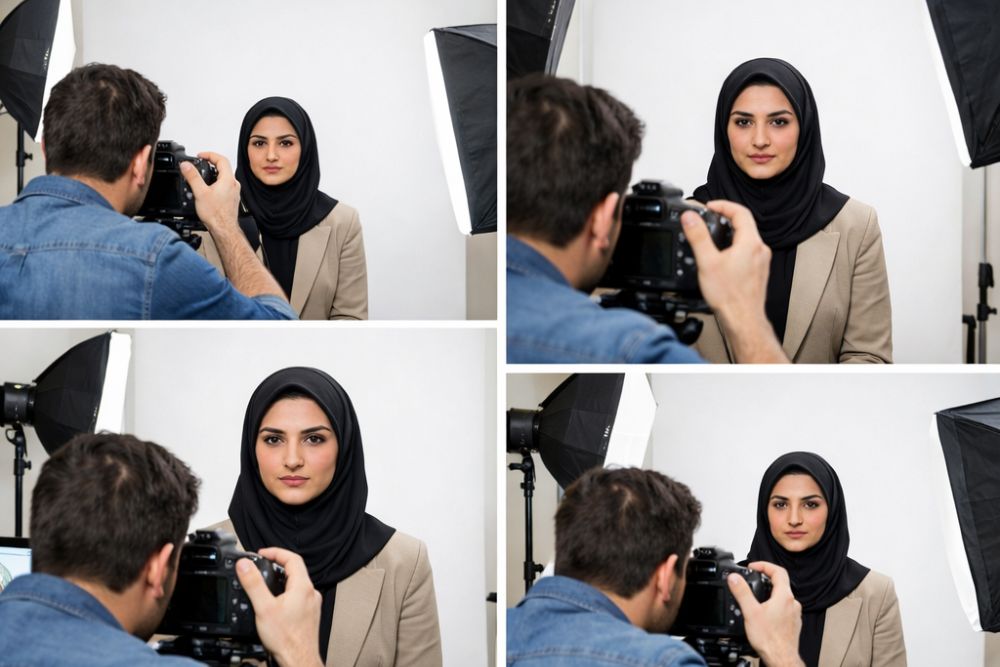
At Photo Plaza Studio in North York, we take US visa photos to the exact specifications required by the State Department correct sizing, true white background, proper lighting, and a digital file that’s ready to upload to CEAC without any resizing or editing on your end. You’ll also get a printed copy, in case your application requires one.
The whole process usually takes just a few minutes, and you leave with both the print and the digital file formatted correctly.
Studio location: 6091 Yonge St, North York, ON M2M 3W2 Phone: +1 (647) 879-8877
Quick Checklist Before You Apply
- Remove glasses before your photo
- Avoid white or light-colored clothing that blends into the background
- Skip hats, headphones, or anything covering your hairline (unless for religious reasons)
- Make sure your photo is recent, not from a passport application years ago
- Confirm the digital file meets CEAC’s size and format rules before uploading
A US visa application already involves enough waiting. Getting your photo right the first time is one thing you can control and one less reason for a delay. Book your appointment at Photo Plaza and have it done right, the first time.